THPAUL / Blog / Studio & photography
Packshot: what it is and how white background photography works
What a packshot is, white or coloured background, consistency rules for angles, shadow, margins and files, and when you need lifestyle or still life.
A packshot is a clean photo of a product on a neutral background, usually white, with no set and nothing to distract attention. It is the image you see first in the product listing of an e-shop and on the product page, and its job is to show exactly what you are buying.
The word comes from packaging (pack), but today we use it for any product: a bottle, a shoe, a ring. A good packshot does not draw attention to itself. It draws attention to the product.
What makes a good packshot
A good packshot has four qualities. The colour is true to the real product. The shape reads clearly, with no distortion from the lens. The details, such as seams, labels and textures, are visible. And the background is clean, with no dust, marks or edges of the set.
The most common mistakes show up immediately in the e-shop listing: a greyish background instead of white, products that lean, crooked labels, dust on dark surfaces and colour that changes from photo to photo of the same product code. Most of them are solved before the shot, with clean samples and a consistent setup, not in editing.
At THPAUL Studio, the E-shop / Packshot shoot includes a clean background and basic colour correction, with up to 4 photos per product code. For products that need more detailed cleaning, such as glossy surfaces, there is enhanced retouching per image. As an indication, packshots start from €10.50 per product code for large catalogues, with a minimum charge of €160 excluding VAT.
Shooting on a white or a coloured background
Shooting on a white background is the safe choice for your core catalogue. It works with almost any e-shop design, makes products comparable with one another and fits the requirements of many marketplaces, which often ask for a white background on the main image. Requirements differ from platform to platform and change over time, so check the marketplace's current guidelines before the shoot.
A coloured background adds character and makes the catalogue recognisable on social media. But it takes away flexibility: it is hard to change later, it has to work with all the colours of your products, and on glossy surfaces it reflects and alters their colour. If you want one, choose a single shade for the whole catalogue and keep the same one in every new production.
A middle ground that often works: a white background for the product page and a smaller series in a brand colour for social media, banners and ads. If you need the product without a background for graphic design, also ask for files with a transparent background, which are usually delivered as PNG.
Consistency rules for the whole catalogue
A single packshot is easy to judge. The hard part is making two hundred packshots look as if they were shot on the same day. That is why, before the shoot, you should write a short guide with rules:
- Angles and order: the same shots in the same order for every product code, for example front, side, back, detail. The first image is always the same angle.
- Camera height and lens: the same within each category, so that the proportions of the products do not change from image to image.
- Shadow: either a soft natural shadow under the product across the whole catalogue, or full isolation across the whole catalogue. Never a mix.
- Margins: the same space around the product and the same base, so that in the listing the products stand on the same line.
- Scale: decide whether small and large products fill the frame in the same way or keep their difference in size.
- Colour: the same white balance and the same white in the background in every image.
- Files: the same aspect ratio, the same dimensions and the same file naming, with one high-resolution file for zoom and print and lighter versions for the web.
Shadow is the most common cause of inconsistency. If part of the catalogue has a shadow and another part does not, the products seem to float unevenly on the page. The same happens when new product codes are photographed months later with a different setup. A written guide solves this problem, because every later production starts from the same rules. For preparing product codes and delivering files, see also our guide to product photography for e-shops.
When you need lifestyle or still life
A packshot answers “what is it”. It does not answer “how will it feel” or “where does it fit”. When the decision to buy depends on atmosphere, use or scale, you need something more:
- Creative still life: a styled set with props, textures and light, without a model. It suits hero images, campaigns and brands that sell an aesthetic, such as cosmetics, stationery or homeware.
- Lifestyle and model photography: the product in use, for clothing, accessories and anything that needs to show scale or fit.
- AI scenes: the same packshot in a new setting, for seasonal campaigns, with human review so that the product stays exactly the same.
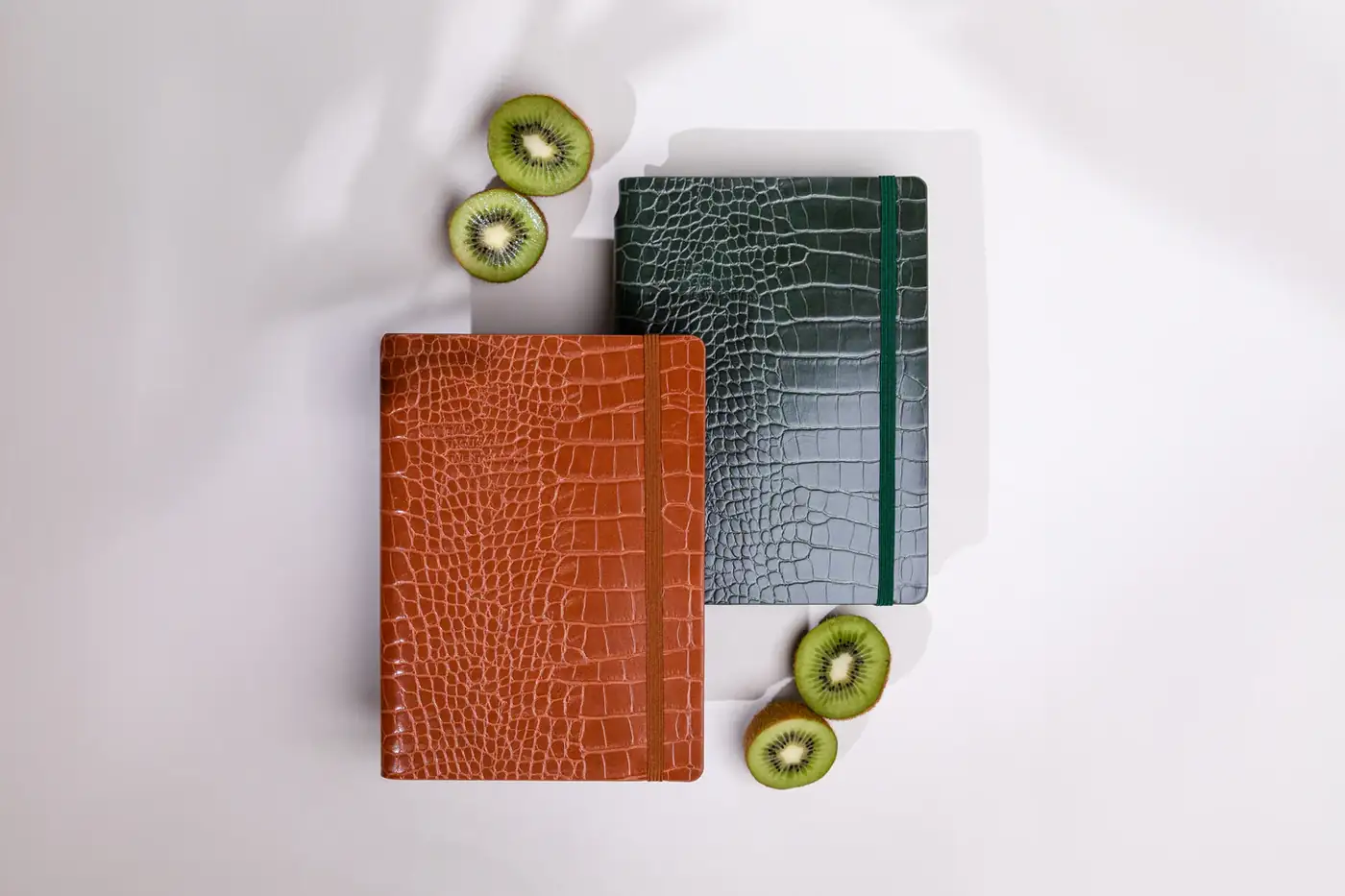
A combination that often works: packshots for every product code and a few creative images for the key products. The shoot for TypeCenter's 2027 diaries and notebooks, for example, used editorial compositions in warm tones with natural elements, to bring out the textures and character of the products. As an indication, at THPAUL Studio still life starts from €30 per product code for large catalogues, with a minimum charge of €350 excluding VAT.
Frequently asked questions
What is a packshot?+
A packshot is a clean photo of a product on a neutral background, usually white, with no set. It is used mainly in the product listing and on the product page of an e-shop, and on marketplaces. Its purpose is to show the product with accurate colour, shape and detail.
Why do e-shops prefer a white background?+
A white background does not compete with the product, suits any design and makes products comparable with one another. Many marketplaces require it for the main image. Still, check each platform's current requirements before the shoot.
How many packshot photos does each product need?+
Each product usually needs 2 to 4 packshots: front, side or back, and one detail. Products that are judged on their details, such as shoes or jewellery, need more angles. At THPAUL Studio, a packshot includes up to 4 photos per product code (SKU).
Packshot or still life for the e-shop?+
You need a packshot for every product page, because it shows clearly what the customer is buying. Still life adds atmosphere and suits hero images, banners and campaigns. Many brands combine packshots for all their product codes with still life for a few key products.


